Contents
Field Guide · 11 of 18
Your account
Your profile, garage, security, wallet passes, and moderation standing all live in one account settings area, shared across every club you belong to.

Your account is the one thing every club you belong to shares. Your profile, your garage, your security settings, and your standing with moderation all live in a single place, separate from any one group's chat or admin panel.
On the web
Account settings cover your Profile — name, nickname, avatar, and a cover photo you can crop and reposition through a short guided wizard — plus a privacy setting on your profile itself. From Password and Two-Factor Authentication you manage sign-in security; two-factor setup walks you through scanning a code and gives you recovery codes to keep somewhere safe. Appearance controls light and dark mode for the web app.
QR Code gives you a personal code tied to your nickname — the same one that shows on your membership pass — which you can download. Events settings hold a home location and a default search radius, which is what the event calendar and discovery surfaces use to show you what's nearby without asking every time.
Your garage lives outside settings but is very much part of your account: add a car with its year, make, and model, edit any of them later, and mark one inactive when you sell it or park a project rather than deleting it outright — an inactive car keeps every journal ever written about it, so the record survives even after the car doesn't.
Moderation standing shows you exactly where you stand: any warnings you've been issued (which you have to acknowledge before you can keep posting), active or past holds from clubs you belong to, and a platform ban if you have one, with a place to submit an appeal. Blocked users lists everyone you've blocked and where you blocked them from, with a one-tap way to unblock.
Your membership pass — a branded card with a QR code of your nickname — adds to Apple Wallet from your profile settings, and clubs you belong to can offer their own club card the same way from that group's page. If an organizer has turned on wallet passes for one of their events, your ticket for that event can go to Apple Wallet too.
In the RALLIER app
Account settings sit behind the avatar in the header on both iOS and Android, but the native account screen is smaller and more focused than the web's full settings area. From there you can reach Friends & Followers, Garage, your driving history, and Blocked Users; on iOS you can add your membership pass to Apple Wallet right from the same screen. The Terms of Service, Code of Conduct, and Privacy Policy are there too, along with sign-out.
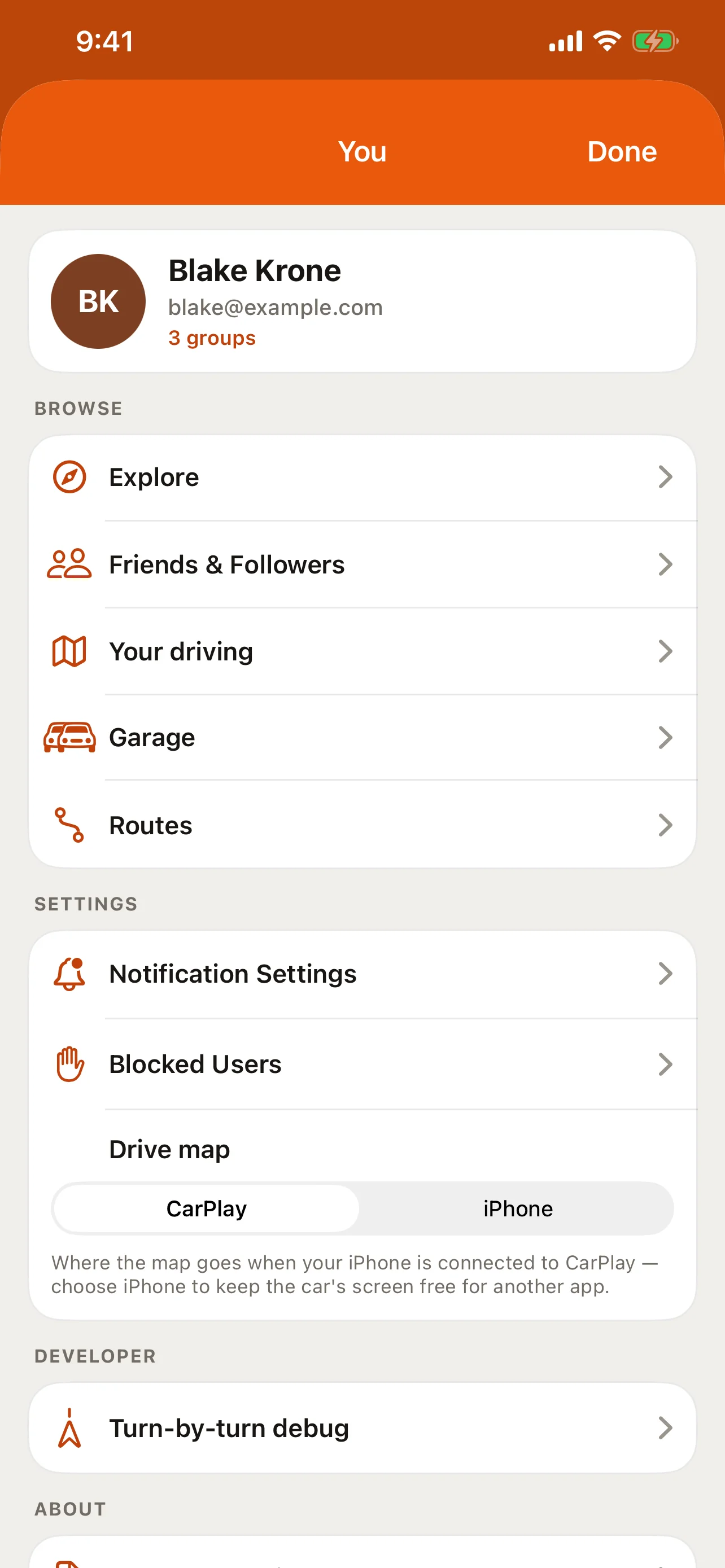
Garage is fully native — add a car, edit one, or mark it inactive right from your phone, the same as the web. Profile editing, password and two-factor authentication, your QR code, event preferences, and moderation standing don't have a screen in the app; they're part of the settings pages on the web.
Tips
- Set up two-factor authentication on the web and save the recovery codes somewhere outside your phone — losing both your device and the codes is the one way to lock yourself out.
- Marking a car inactive rather than deleting it is almost always the right call if you've written anything about it in a journal.
- Check Moderation standing on the web if a post or message of yours seems to have gone quiet — an unacknowledged warning can be why, and it walks you through what to do next.
- Set a home location under Events settings once, and event discovery on both the web and the apps uses it automatically.
- See Journals for what happens to a car's history when you mark it inactive, and Safety and moderation for what a warning or ban means for your standing.