Contents
Field Guide · 12 of 18
Safety and moderation
Report content from anywhere it appears, block anyone, and see exactly what a warning, hold, or ban means for your account and how to appeal one.

RALLIER's moderation runs on two levels. Your club moderates its own chat, posts, and members first, and can escalate anything serious to the platform. Reporting and blocking work the same way everywhere you find them, on the web or in the apps.
On the web
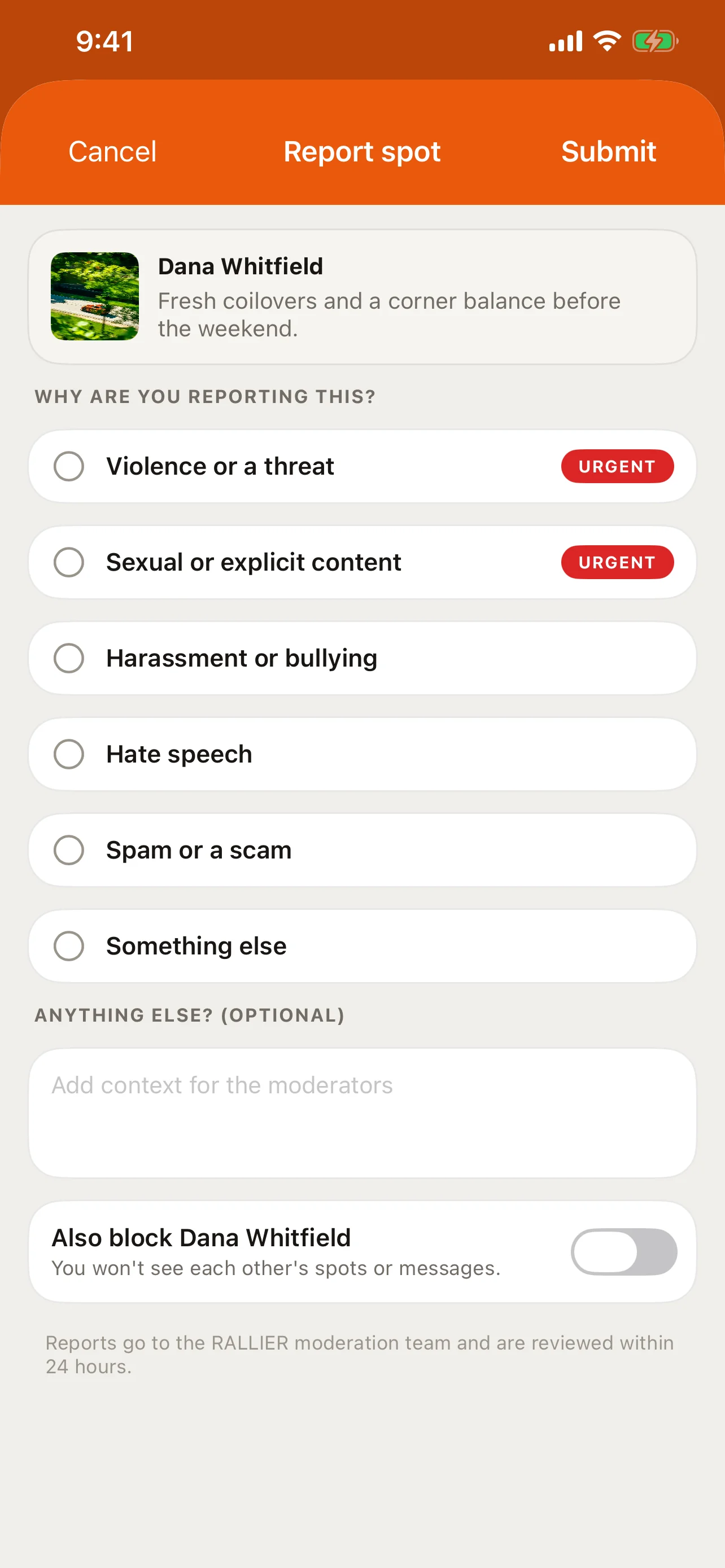
You can report a post, a comment, a chat message, a direct message, or a user from wherever it appears — the report form asks for a reason (spam, harassment, hate speech, violence, sexual content, something illegal or harmful, misinformation, an intellectual-property issue, or something else) and an optional description. Reports involving anything illegal or harmful are flagged as critical so they get looked at first. Blocking someone is separate from reporting: it immediately hides that person from you across messages, friends, and content, without needing anyone else to review anything.
Every message you send is checked automatically before it posts. Content that clearly violates community standards is rejected outright with a generic explanation; it never reaches the group. Members under an active moderation hold have their posts queued for a moderator's review instead of publishing right away — visible to nobody but the author until it's approved.
Club moderators work their own report queue and can hide content, warn a member, or place a hold or ban scoped to their group. Anything that needs the platform's attention — a pattern across clubs, or something a club can't or shouldn't handle alone — gets escalated to platform moderators, who can act platform-wide.
Moderation standing, in your account settings, is where all of this becomes visible to you. A warning shows up there and has to be acknowledged before you can keep posting — it isn't something you can quietly ignore. Active and past holds from any club you belong to are listed there too, along with a platform ban if you have one. A ban carries a way to submit an appeal with your own statement, and you can see the status of an appeal you've already sent without submitting a second one.
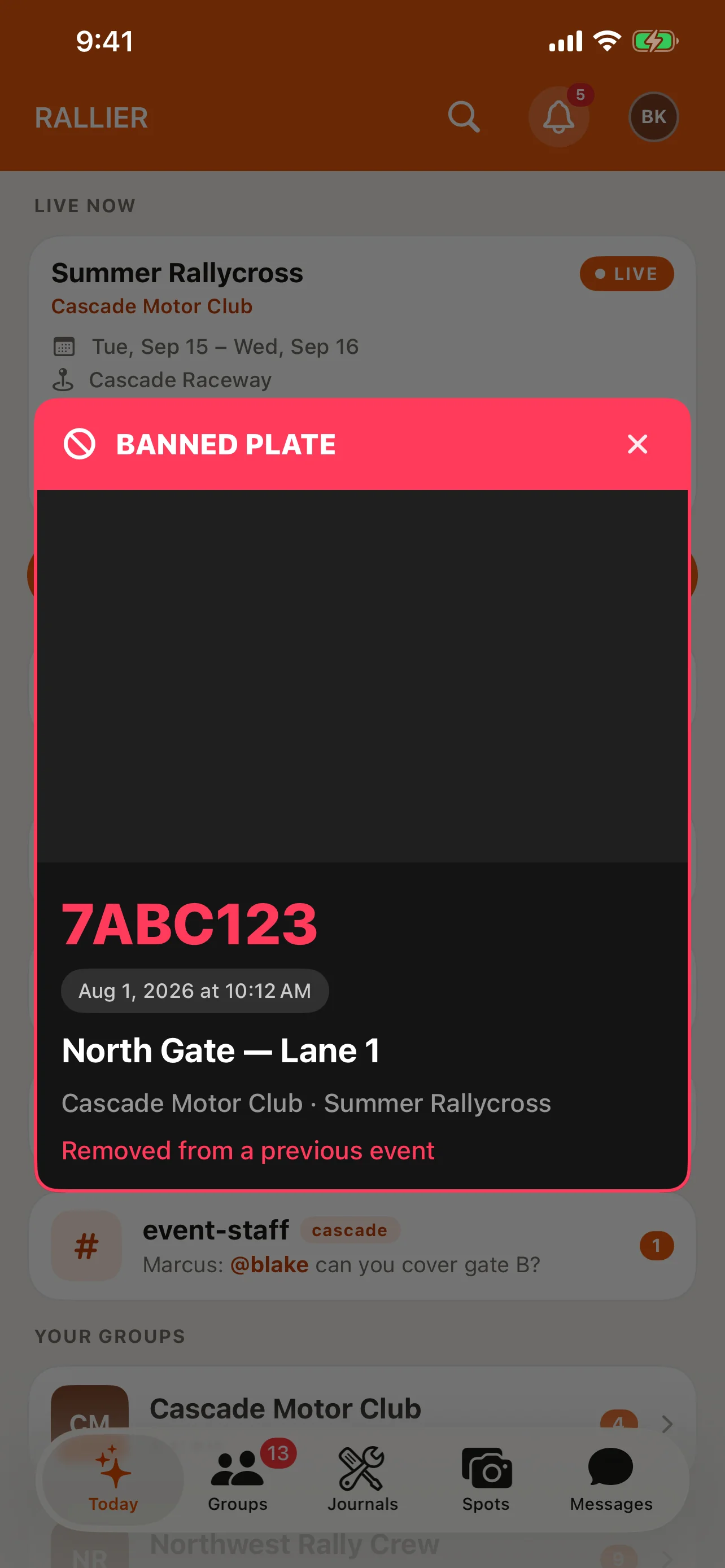
Clubs running events have one more layer available to them: a plate can be flagged as a warning or a ban, and if that plate is seen at a future event, the club's private alert channel gets notified automatically. It's an organizer tool for keeping a known problem off the field, not something every member sees or manages.
In the RALLIER app
Reporting and blocking work the same way on iOS and Android as on the web — a report option sits on posts, chat messages, direct messages, and user profiles wherever you encounter them, and blocking someone removes them from your view immediately. An unacknowledged warning blocks the rest of the app behind a full screen until you acknowledge it; there's no way to dismiss it and keep going, and no way to back out of the screen without doing so. A platform ban does the same thing with its own full-screen explanation. Both mirror exactly what you'd see if you visited Moderation standing on the web — the app just puts it in front of you the moment it matters instead of waiting for you to go looking.
Tips
- Report first, block second, if you want the platform or your club to actually see what happened — blocking only changes what you see, not what a moderator sees.
- An unacknowledged warning is often the quiet reason something feels broken — check Moderation standing before assuming a bug.
- If you disagree with a platform ban, the appeal form is the way to be heard; there's no separate email address or support ticket that gets it in front of moderators faster.
- Club moderators can only act inside their own club — anything that needs to reach across clubs is what escalation to the platform is for.
- See Messages and friends for how blocking interacts with your friends and follower lists, and Events, for organizers for how a club runs its own gate and staff.